Friday, 15 January 2016

How You Can Remove Your Card Details from Paytm


Paytm is the most popular and trustworthy service and app for online mobile recharge. Users faced a little problem. after first recharge it saves your debit card information and every time when  you go to recharge, it tells you enter only  CVV number for making payment when the whole card information is already saved.

However, it was not the mistake of Paytm but honestly yours. You would be noticed at the time of making payment that Paytm shows a check box that says – “Save this card for faster checkouts” and by default it remains checked. So, if you forgot to uncheck this box Paytm will save your card information.


So, if you’re in the same trouble due to saving your debit or credit card details on Paytm mistakenly and couldn’t find the place to remove it, read this article. Here’s exactly how you can remove your debit card detail from Paytm.

However, in Paytm there is no option in the settings of Paytm profile to remove your card information. But still you can do so very easily.

All you need to do is go for a recharge (just for removing your card details) and reach at the checkout (payment) page. And here you will find the option to remove your card from Paytm.


That’s all guys, as soon as you will click on this Remove Card button, it will ask – Are you sure want to remove this card from Paytm? So, choose Yes and your card details will be removed from Paytm forever.

Also be careful of that check box which saves you card if you don’t want your cad to be saved in Paytm. However, Paytm is very trustworthy service but still for security from hackers intruders, you shouldn’t save your card on any online payment service for long time and also don’t keep more amount of money in your online wallets

Wednesday, 13 January 2016

Best Budget Phone Under 10000

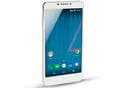
Yu Yureka Plus    Rs. 9999
The Yu Yureka Plus, which was launched back in July this year, has already made it to the list of best camera phones under Rs. 15,000 and is now one of the best smartphones under Rs. 10,000 as well. The smartphone after going through rigorous tests gave impressive results and got an overall rating of 9/10 in all the sections except in design and battery life where it settled for 8/10. Available for as low as Rs. 8,999, the Yureka Plus smartphone runs on Cyanogen OS 12.1.


Good
  • Improved display and camera
  • Great performance
  • Customisable Cyanogen OS
  • Excellent value for money
Bad
  • Nothing significant considering the price

Lenovo k3 note  Rs. 9999

The Lenovo K3 Note is one of those devices that really gets its essentials correct. In terms of everyday usage, its competence is unquestionable. It has a good display, very good audio output, a decent camera unit, and possibly the best performance in terms of lightweight usage that any smartphone within the sub-10k budget segment has to offer. The only place where it misses out is the below-par gaming performance. If your priority is for a smoothly-functioning Android smartphone which will see you through the day’s essentials without breaking a sweat and saving some battery too, the Lenovo K3 Note is your phone. Alternatively, the Meizu M2 Note makes for a better device at the same price point, giving similar or better performance, along with featuring a better display and  camera.

Good

    Lenovo K3 Note
  • Good display colours
  • Slim form, good to hold
  • Smooth browsing and messaging experience
  • Decent native audio

Bad

  • Throttled gaming performance
  • No backlight on buttons

Coolpad Note 3          Rs. 8999

Coolpad Note 3 is a comparatively a newcomer as it was launched in October this year. The smartphone fared well in our review, scoring a 9/10 rating for value of money. We were impressed by the smartphone's quick and accurate fingerprint sensor, camera, battery life and overall performance. However, the UI customisations were not up to the mark. The handset is available for Rs. 8,999 from leading online retailers.

  • Quick and accurate fingerprint sensor
  • Good performance
  • Good camera
  • Good battery life
Bad
  • Limited availability
  • Unappealing UI customisations

Yu Yunique  Rs. 4999

Yu Yunique is the most affordable smartphone in our list, and the second entry for Yu, besides the Yu Yureka Plus. The smartphone got 8/10 rating when it came to its software and value for money. The 4G LTE supporting Yunique was launched at Rs. 4,999 in September this year.


  • 4G LTE support
  • Good looks, low weight
  • Good display
  • Near-stock Android
Bad
  • Mediocre camera
  • Limited availability


Monday, 11 January 2016

Net Neutral Apps For 

Free 
Mobile Internet Data 

Getting data access without spending money sounds great, but this usually involves some kind of catch. but there are a number of apps on the market that are offering users free data, without any exclusivity or limitations. All these apps are for prepaid users. (All are available on Google Play Store Free)
1) Gigato
Probably one of the best known apps in the category, Gigato has been around for a while and allows users to "earn" data on the app, which can then be redeemed from your carrier. The way it works is simple - just install the Gigato app, and it will show you a number of apps you can try or use to earn data. The earned data is usually a little higher than the used data, so although the initial usage is cut from your data plan, you come out ahead. For example, you could use 20MB of mobile data on WhatsApp or Twitter, and earn 25MB which can be redeemed from your carrier.
When you launch the app, you can see a list of supported apps you already have on your phone, and Gigato will also recommend other apps you can install to get data benefits. Since Gigato includes many popular apps, it probably won't require you to change your habits to get a little extra cash on the side, which is great.
gigato_app_splash.jpg
When installing Gigato, you give it permission to check your apps, so it can see how much mobile data is being used by its ​partners​, and give you rewards accordingly. Based on user and expert reports ​online​, it doesn't seem that Gigato snoops on your data to see what you are doing on the Internet, so it should be without any privacy concerns, but it's certainly something you should be aware of.
2) Earn Talktime
The Earn Talktime app is pretty similar to Gigato in that it incentivises you to use different apps, but the way it works is a little different. While Gigato gives you recharges for using mobile data on apps, Earn Talktime pays out money which can be used to pay for prepaid recharges when you download apps.
So, you can make Rs. 5 if you download the Droom app, or Rs. 20 to download Myntra. Downloading Lybrate and then asking one question on the app will earn you Rs. 50.
earn_talktime_screens.jpg
You also earn money for referring friends, and you can then use this to recharge your data via your mobile operator. From what we've found through searching online, there have been no reports of privacy problems with this app, and our own usage showed that it works without any real problems, but considering that Earn Talktime incentivises specific actions you should be aware of potential privacy concerns with this kind of app.
3) Paytunes
While Gigato or Earn Talktime need you to actively do different things to earn talk time, the Paytunes app replaces your ringtone with advertisements and you're paid for each call that you get. There are some checks in place to keep people from gaming the system, but for users, Paytunes actually fits into the day to day flow of actually using your phone.
paytunes_splash.jpg
The payouts aren't very high - you have to answer at least three calls to get 1 Rupee worth of points in the app, but even if you get around 15 calls in a day, that works out to a payout of Rs. 150 per month, which can be used to recharge your data pack, or pay other bills via MobiKwik.
4) My Ads (India)
Watch an ad, and then answer a few simple questions and you earn money. The concept is so simple that it doesn't really need to be explained. You can watch the ads over Wi-Fi, and don't need to download or use any other apps. It's just like the apps you watch on TV, except that here, you aren't forced to watch an ad in the middle of your shows, it's just something you're doing for a little talk time.
myads_india_app.jpg
It's not the most convenient way to consume ads, but getting paid Rs. 8 to watch a 45-second ad sounded reasonable enough to us. That money can then be used to recharge your phone, so you can use the money for mobile data.
5) Recharging your phone
Apps like Freecharge, Paytm, or Mobikwik or Airtel Money, just about every app that allows you to recharge your phone online also offers special deals and cashbacks. This means that when you're recharging your phone, using any of these apps can get you a great deal. The specific deals vary on a day to day basis, so keep one or two of the apps you liked the most installed on your phone, and check these before hitting the recharge button to save a little more money.
paymobicharge_app.jpg
These are the five methods of getting free Internet access we found that worked. Have you tried any of these? Tell us about that via the comments.